
Kusanagi-AI: Free & Open-Source Local AI Toolkit
Empowering researchers, particularly in Physics and Materials Science, with accessible, privacy-focused AI tools designed to run efficiently on standard home laptops. Built on Ollama for local LLM inference, Kusanagi-AI can run several models at once on a decent laptop while keeping your data on your machine.
About This Project
Kusanagi-AI was developed to address the growing need for accessible and privacy-conscious AI solutions within the research community. Our mission is to provide a free, open-source toolkit that enables researchers, especially those in Physics and Materials Science, to leverage advanced AI capabilities directly on their personal computers. By focusing on local execution, Kusanagi-AI ensures complete data privacy and eliminates reliance on cloud services, making sophisticated AI analysis available without specialised hardware or extensive technical expertise.
Two Ways to Run It
Desktop (fully offline)
Tkinter apps that talk to a local Ollama. No API key, and nothing leaves the machine.
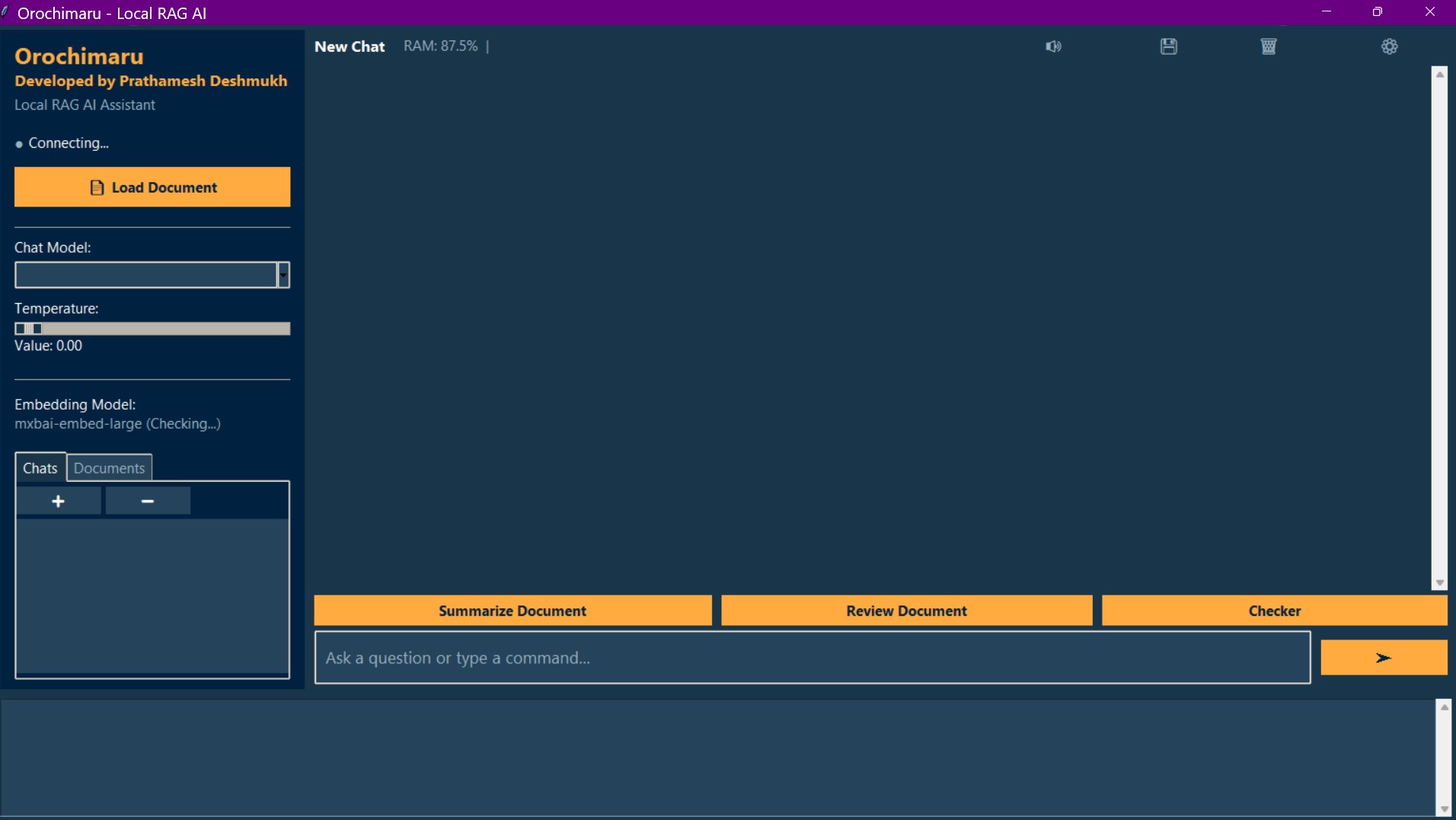
- Orochimaru: the full RAG research assistant.
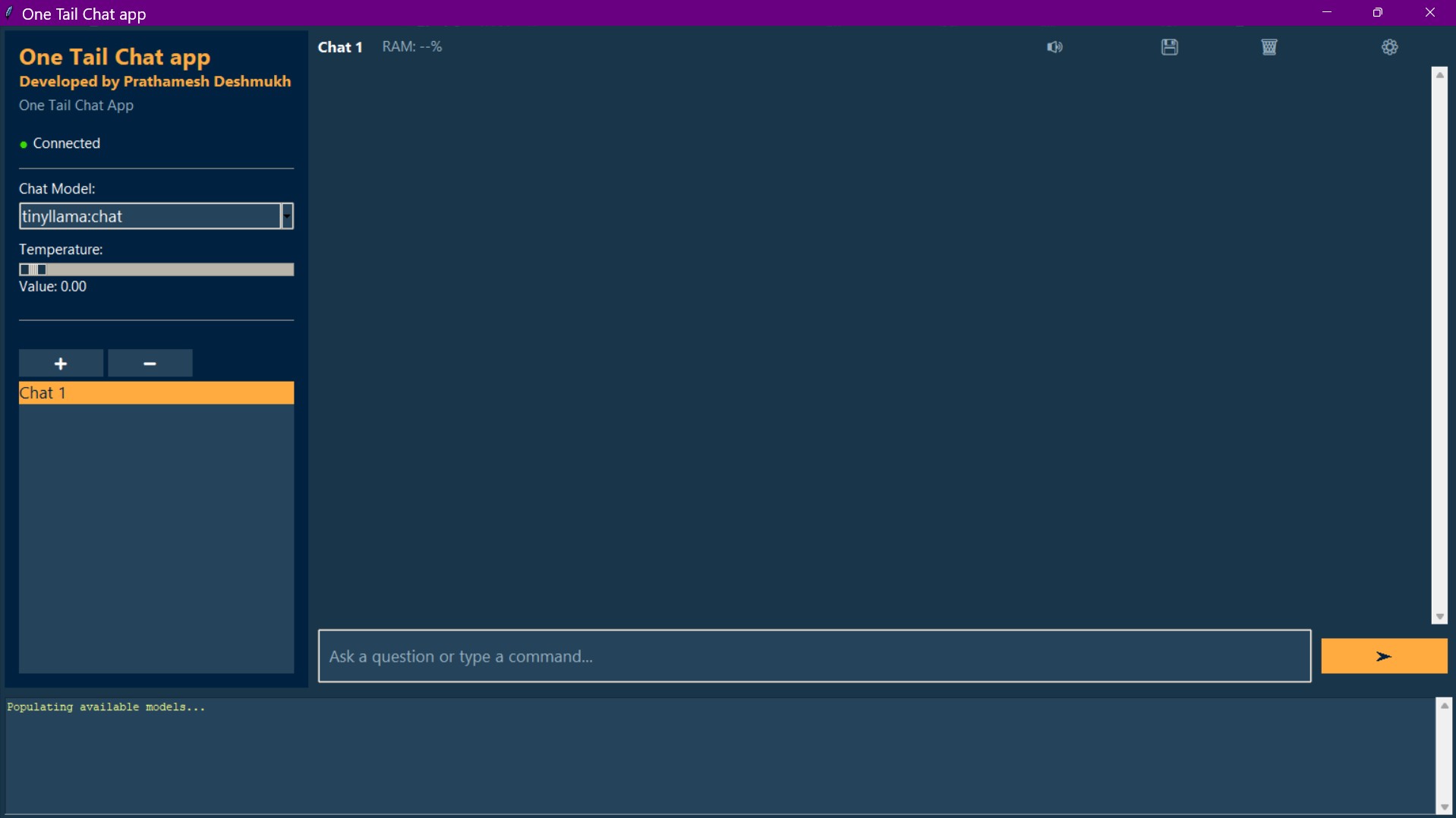
- OneTail: lightweight multi-model chat.
- Visualize AI: next-token predictions in real time.
- Kusanagi Local: console and model manager.
- Hopfield demo: associative-memory demonstration.
Browser (your own API key)
Web apps that run against Google Gemini, Anthropic (Claude), Hugging Face, OpenRouter or a local Ollama, with nothing to install.
- Orochimaru (web): multi-turn research chat over PDF, Word, PowerPoint, HTML and text documents.
- Kakashi: grounded search over Wikipedia, OpenAlex, Crossref, DuckDuckGo and Hacker News, with inline citations to real sources, plus an Academic mode for papers only.
- There is no Kusanagi server: requests go from your browser straight to the provider you chose.
Technology Stack
Python
The desktop apps and their shared core (paths, configuration and the Ollama process manager) are written in Python.

Ollama
Powers local LLM inference, running models such as Gemma, Qwen, TinyLlama and Llama 3 without cloud dependencies.
Tkinter
Native, lightweight graphical interfaces for the desktop apps.
Embeddings
Ships configured for all-minilm (small and fast); mxbai-embed-large is also supported if you prefer quality over footprint.
Features
- Local & Private: The desktop apps run 100% offline, so your research data stays on your machine.
- Efficient Local LLM Inference: Run up to three LLMs concurrently on a decent laptop.
- Research Assistant (Orochimaru): The flagship RAG application for academic use.
- Ask questions against PDF, Word, OpenDocument, PowerPoint, HTML, RTF and text documents.
- Summaries and critical reviews from a physicist, chemist or editor persona.
- Answer Quality: No invented citations, claims marked as established, contested or inferred, numbers with units and conditions, and refusing is a valid answer.
- Experimental Chatbots: A collection of scripts for exploring different AI models.
- AI Visualizer: Watch next-token probabilities as you type.
Screenshots
Getting Started
Prerequisites
- Python 3.8+: The core programming language.
- Ollama: Essential for running local LLMs. Download from ollama.com.
Installation & Usage
1. Clone the repository:
git clone https://github.com/prathameshnium/Kusanagi-AI.git
cd Kusanagi-AI
2. Install dependencies (preferably in a virtual environment):
pip install -r requirements.txt3. Point ollama_path and model_folder in System_Config.json at your Ollama executable and model folder.
4. Pull the embedding model and at least one chat model:
ollama pull all-minilm
ollama pull llama3
5. Start the desktop menu, or open any app directly:
python local_apps/launcher.py
python local_apps/Orochimaru_Local_Research_Assistent.py
6. For the browser versions, serve them locally (no network needed) or use the online dashboard:
python scripts/serve.pySecurity & Privacy
- Your keys: held for the tab session only, or stored encrypted (AES-256-GCM, with a key derived from a password you choose) if you tick Remember on this device. A key is only ever sent to the provider that issued it.
- Your documents: parsed in the browser and never uploaded. Only the excerpts retrieved for a question go to your chosen provider; for fully offline work, use the desktop app with a local Ollama.
- Strict CSP: every page ships
default-src 'none', no inline scripts, no third-party origins, and aconnect-srcnaming exactly the APIs it uses. The test suite fails the build if any of this regresses. - No CDNs: every library and font is committed to the repository, so no page load reaches a third party.
License
This project is released under the MIT License.
Disclaimer
Kusanagi-AI is an open-source project for educational and research purposes, provided "as-is" without warranty.