PICA: Python-based Instrument Control and Automation
PICA is a modular open-source software suite designed to automate advanced transport measurements. It supports resistance measurements covering 24 orders of magnitude (10-8 to 1016 Ω) and orchestrates Keithley, Keysight, Lakeshore, Cryo-con and Novocontrol instruments over GPIB/VISA and SCPI for cryogenic transport, resistivity, I-V, dielectric, pyroelectric and memristor measurements, using a multiprocessing, fault-tolerant architecture. Validated in the lab with a Quantum Design PPMS (5-380 K, up to 14 T).
Preprint Status: Published on December 22, 2025.
🎉 v1.0.8 is now live!
Experimental Novocontrol Alpha-AN modules, a 3.3 MB package, a faster launcher and a new device and driver diagnostic.
pip install --upgrade pica-suite
















Demonstration: A screencast of the High Resistance IV module is available here .
Motivation & Key Features
Motivation
Researchers often face a binary choice: purchase expensive proprietary software or develop custom measurement scripts from scratch. PICA builds upon powerful libraries like PyVISA and PyMeasure to offer a turnkey application. It provides a ready-to-run graphical interface that abstracts the underlying control logic, allowing experimentalists to focus on data acquisition without extensive software development overhead.
Key Features
- Accessibility: A GUI launcher lets researchers without coding experience configure and run measurement protocols from pre-packaged modules.
- Operational Validation: Validated via cryogenic transport measurements with a custom probe in a PPMS (5-380 K, up to 14 T) at UGC-DAE CSR, Mumbai.
- Fault Tolerance: Each measurement program runs in its own process, so a hardware timeout or driver crash never freezes the launcher.
- CLI Templates: About fifteen measurements also ship an
Instrument_Controlscript for headless automation. - Operational Transparency: Real-time, time-stamped logs of every operation aid debugging and reproducibility.
- Extensibility: Every module is one self-contained file; add an instrument by copying the closest module and changing its SCPI commands.
Design & Implementation
Hardware Abstraction
Utilizes PyVISA to abstract low-level communication (GPIB, USB, Ethernet). Implements strict initialization routines: connection verification via *IDN?, instrument resets (*RST/*CLS), and safe shutdown that switches off sources and heaters on finish, stop, error or window close.
Process Isolation
Decouples the UI from instrumentation logic using Python's multiprocessing. This prevents UI freezes during long acquisitions and ensures hardware timeouts don't crash the main dashboard.
Data Integrity
A "write on acquisition" strategy ensures data is saved to CSV via pandas immediately after every point, preventing loss during power failures or system hangs.
PICA includes a testing suite using pytest and unittest.mock to simulate VISA resources, allowing logic verification without physical hardware. The suite has 3,500+ tests, all run against mocked instruments.
What's New in v1.0.8
Released 27 October 2026 on PyPI and GitHub Releases. Upgrade with pip install --upgrade pica-suite.
Novocontrol Alpha-AN (experimental)
C-V, calibration (REF, load-short, open), temperature-step frequency scan and temperature scan modules (Lakeshore 350 / 340, Cryo-con 34) writing WinDETA-compatible files. Not yet run on hardware.
Frequency Scan
64-bit VISA edition, custom and E4980A frequency lists, and a reliable reconnect after *RST.
Smaller Package
Wheel down to 3.3 MB from 9.9 MB; screenshots and unused logos no longer ship, and scipy is no longer a dependency.
Faster Launcher
Heavy libraries load only when needed, pica-gui opens straight into Advanced Options, and the Instrument Status table fills in as each address answers.
Device Diagnostic
Read-only Connected Devices and Drivers view: for each USB, COM or LAN device, whether Windows sees it, whether it has a driver, and any Windows error code.
Plotter, Fixes & CI
Excel (BOM / UTF-16) and WinDETA (cp1252) files now load; Pfeiffer TPG 361, memristor legend and Cryo-con 34 fixes; CI on Python 3.10-3.15.
Supported Hardware & Ranges
| Module | Instruments | Range |
|---|---|---|
| Ultra Low Resistance | K6221 + K2182 + LS350/340 | 10 nΩ - 100 MΩ |
| Mid-Resistance (Standard) | K2400 + LS350/340 | 100 µΩ - 200 MΩ |
| Mid-Resistance (High-Precision) | K2400 + K2182 + LS350/340 | 1 µΩ - 100 MΩ |
| High-Resistance | K6517B + LS350/340 | 1 Ω - 10 PΩ |
| Capacitance / LCR | Keysight E4980A + LS350/340 | 20 Hz - 2 MHz |
| Pyroelectric | K6517B + LS350/340 | 10-15 A resolution |
| Broadband Dielectric (experimental) | Novocontrol Alpha-AN + ZG4 | 20 Hz - 10 MHz |
| AC Transport (experimental) | K6221 + SR830 lock-in or K197A | Four-probe AC I-V, frequency scan, R-T |
| Memristor Switching (v1.0.7) | K2400 | ±200 V source, compliance set per run |
Temperature control also supports the Cryo-con 34. Each module drives specific instruments; adapting one to a similar model usually means editing its SCPI commands.
Utilities & Tools
- VISA Instrument Scanner: queries the GPIB/USB/Ethernet bus (
*IDN?) to map connected instrument addresses. - PICA Plotter Utility: multi-file plotting for comparison during or after measurements.
- SCPI Console: interactive terminal for sending raw SCPI commands to any VISA instrument.
- Diagnostic Tools: read-only checks of the Python environment, drivers, interfaces, the Cryo-con 34 and the Alpha-AN.
- PPMS Helpers: plotter, sequence visualizer and time estimator for Quantum Design PPMS workflows.
- Calculators & Helpers: List Maker, Quick Calc, unit converter, MD-ratio calculator, PID simulator, Time Utility and Memristor Analysis.
Available Modules
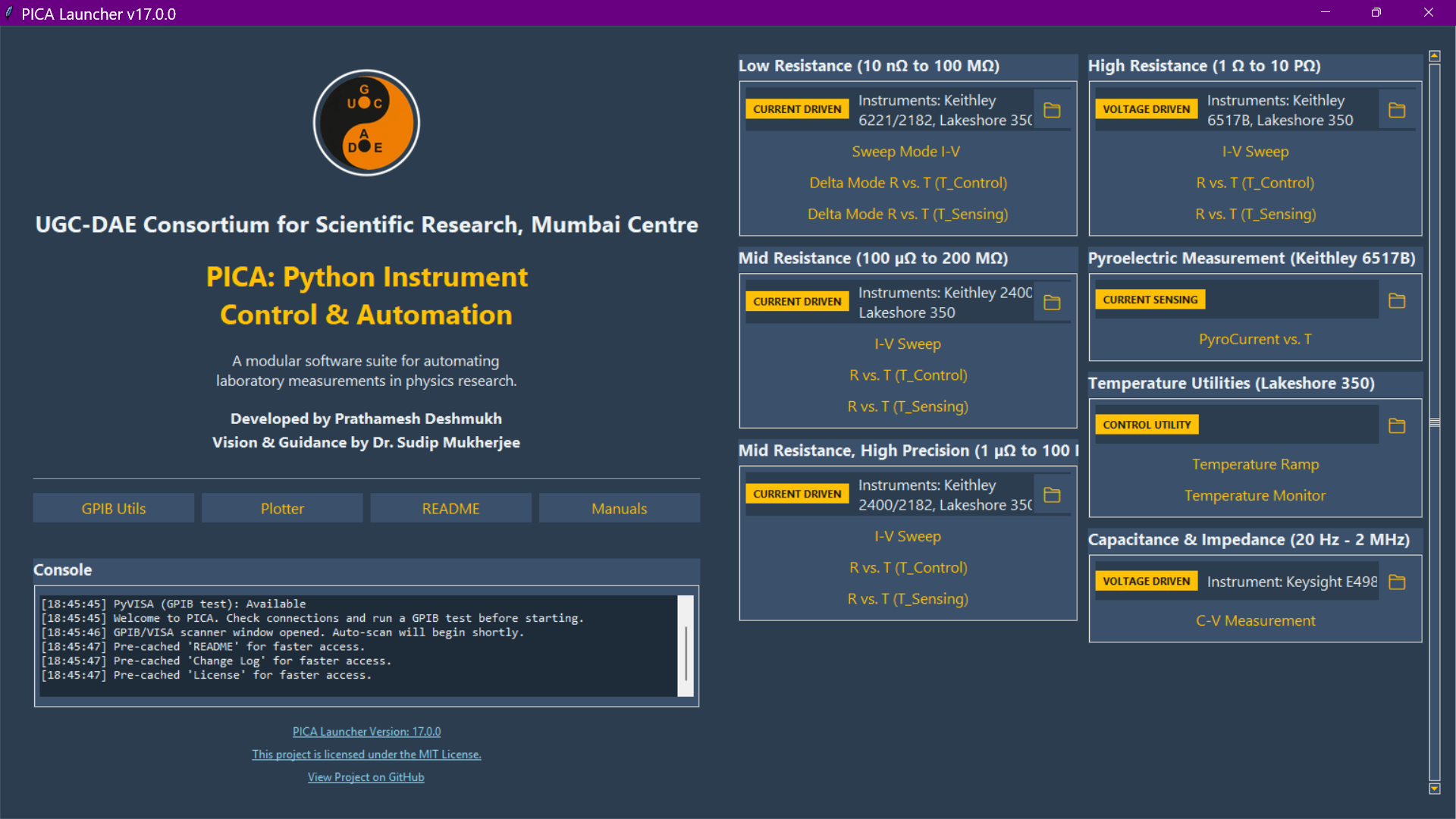
PICA Launcher
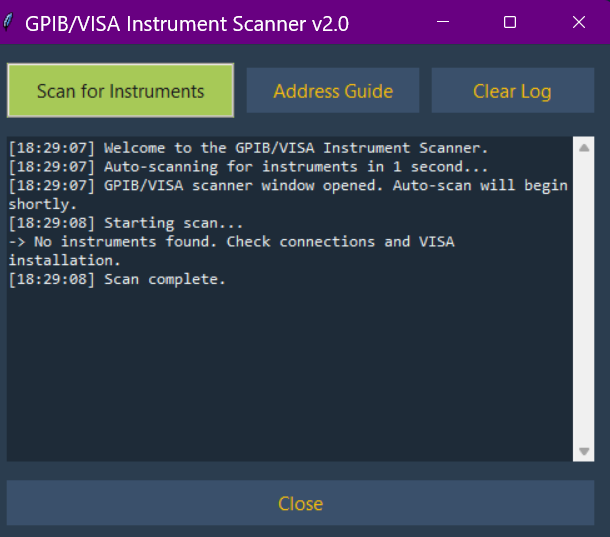
GPIB Scanner
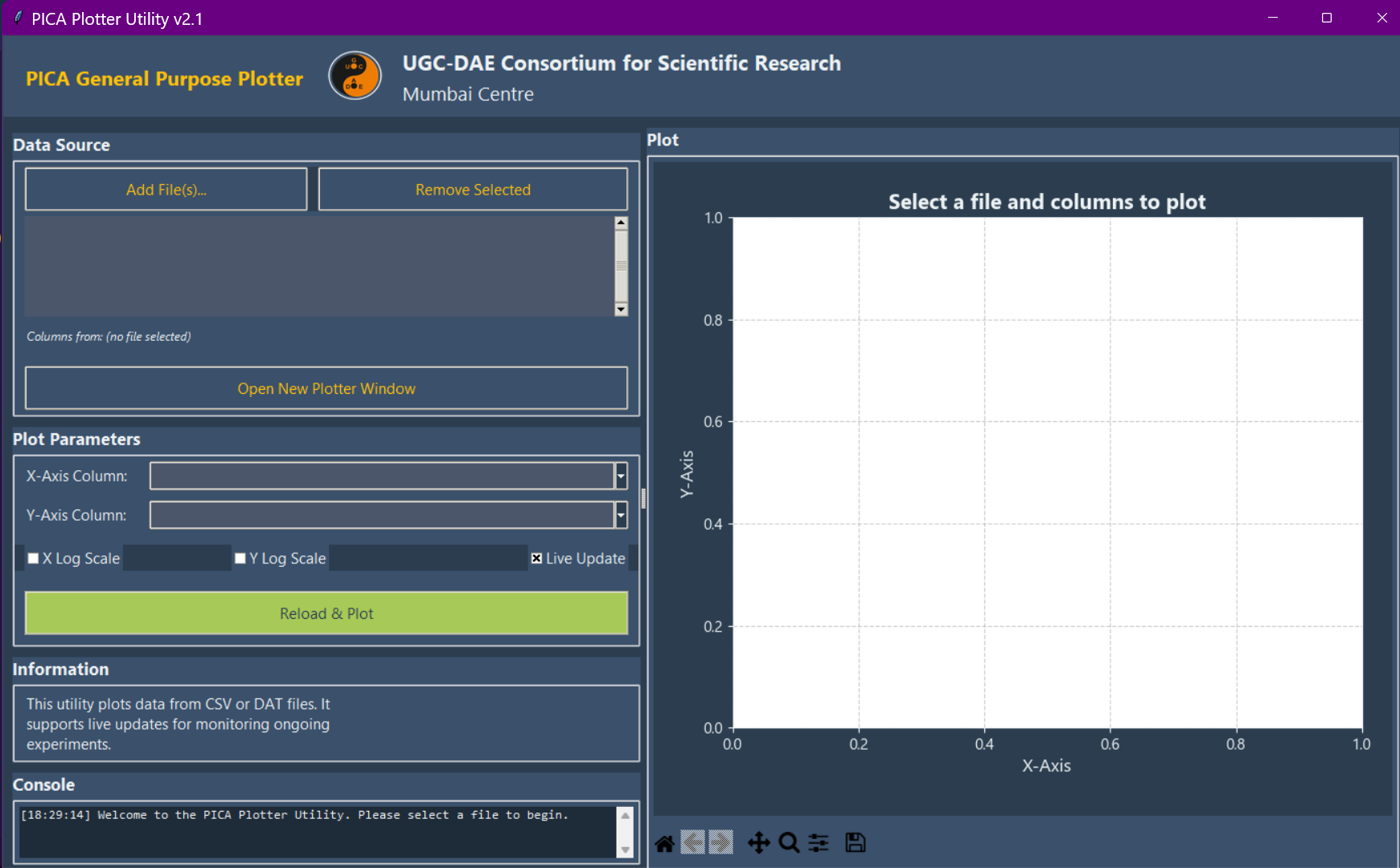
Plotter Utility
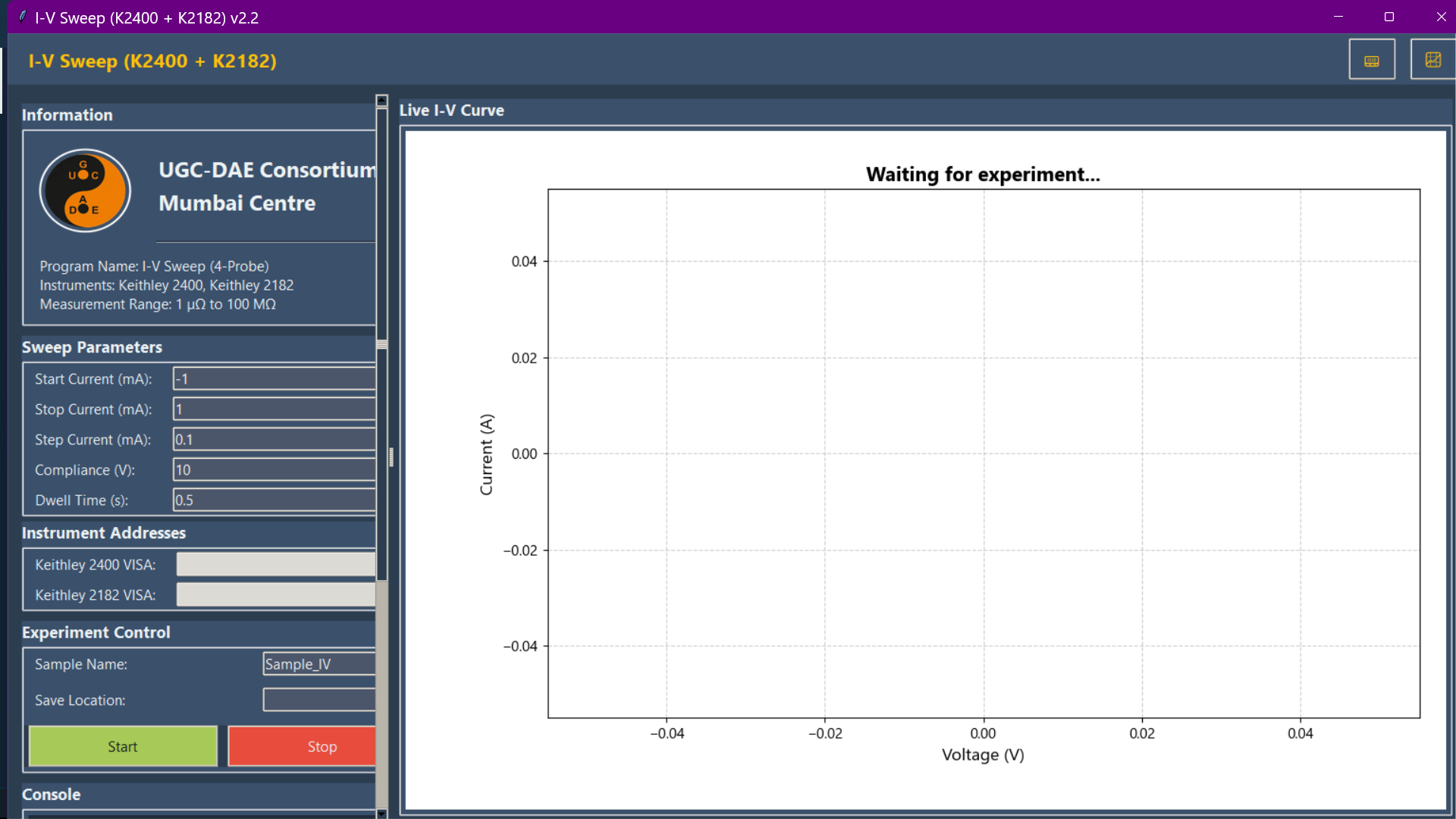
K2400 2182 IV
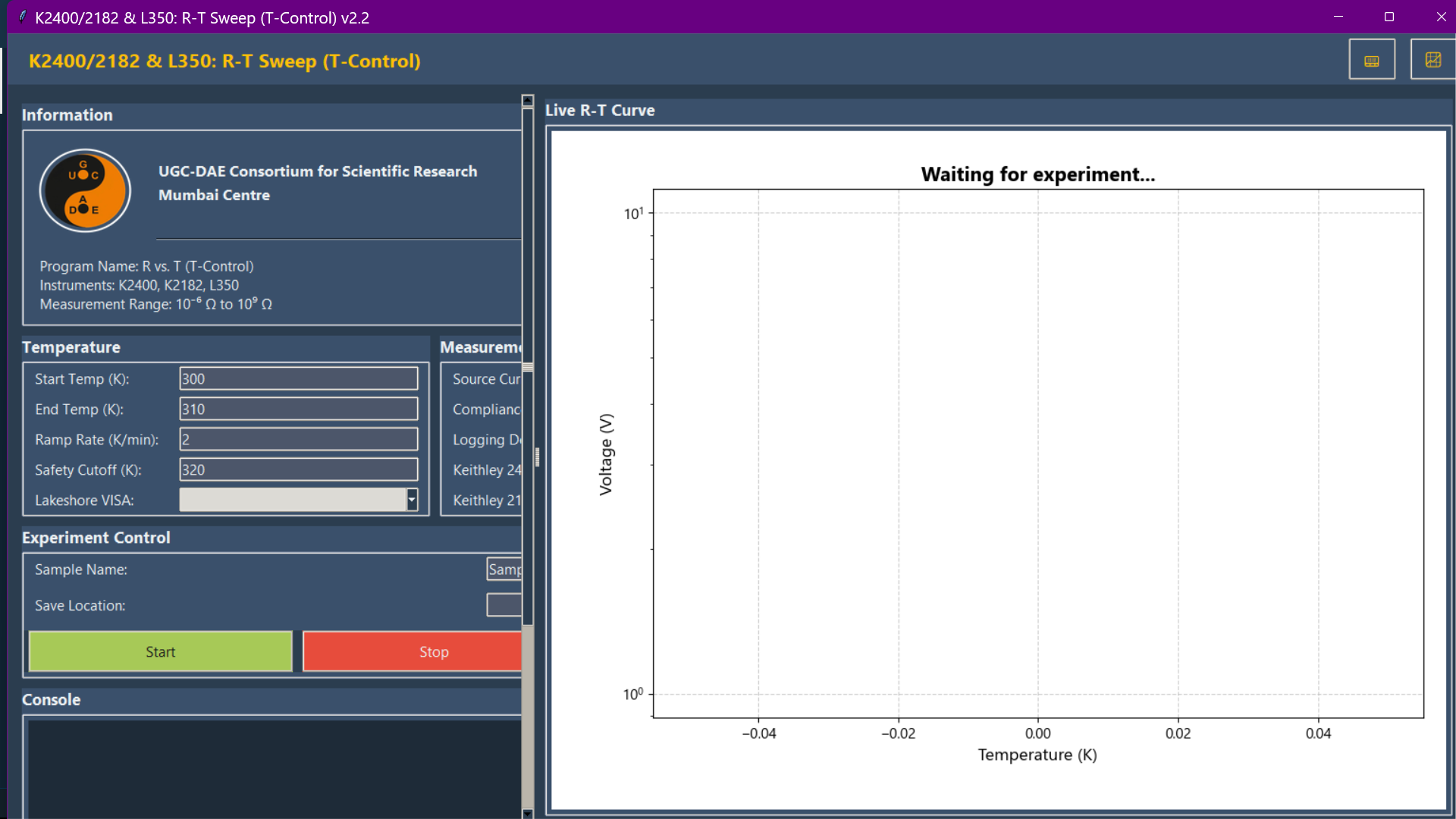
K2400 2182 RT Control
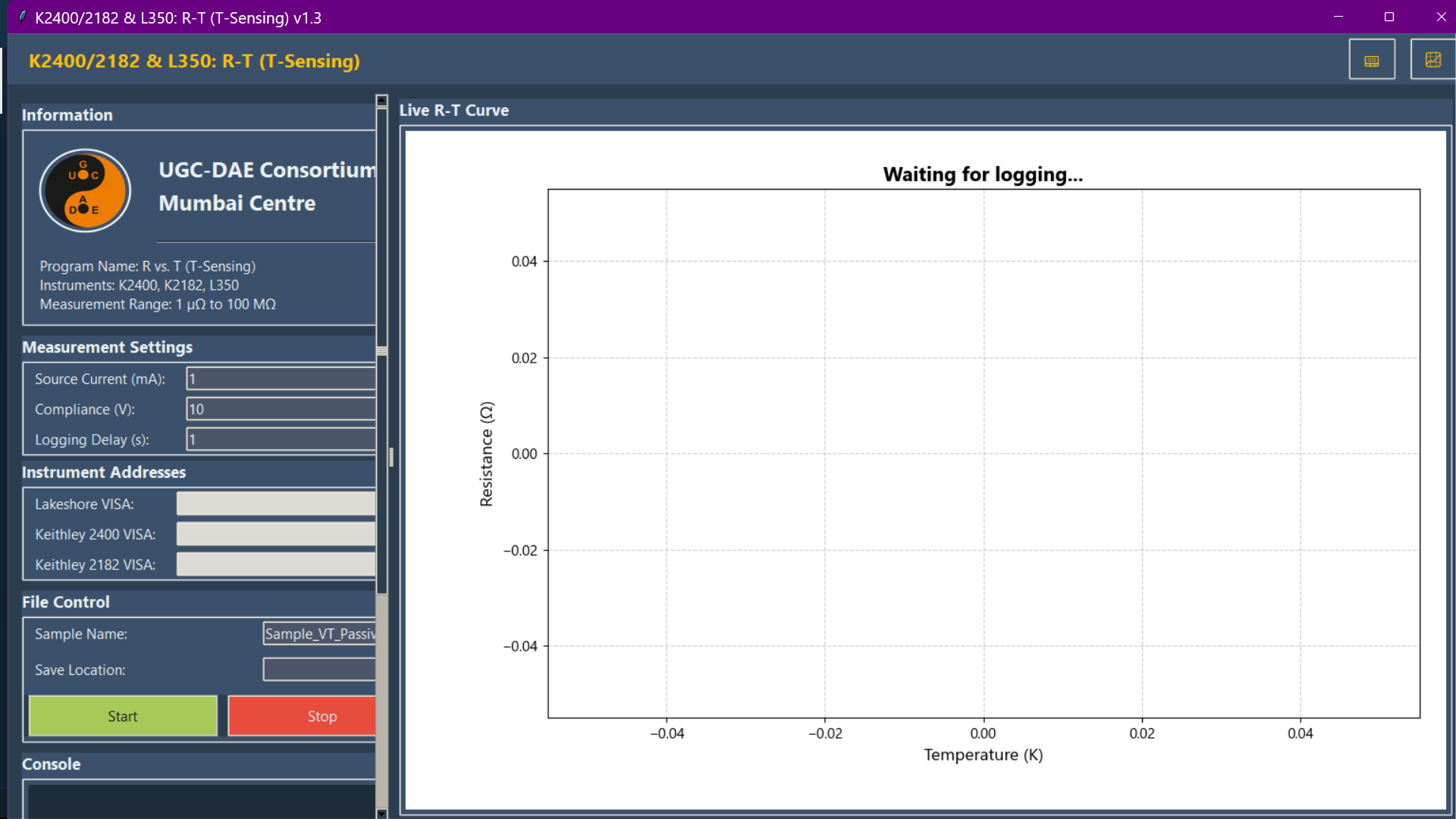
K2400 2182 RT Sensing
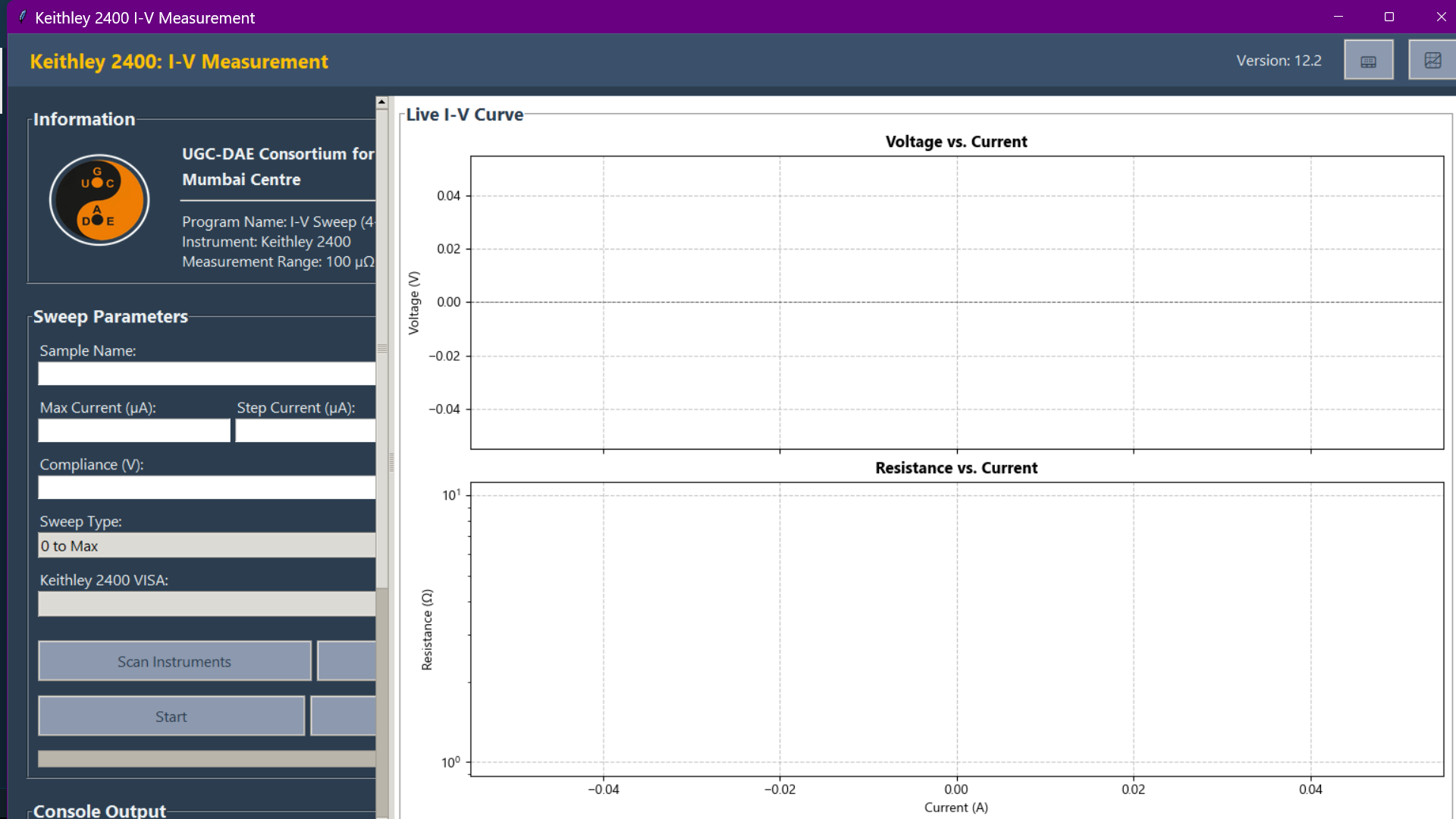
K2400 IV Sweep
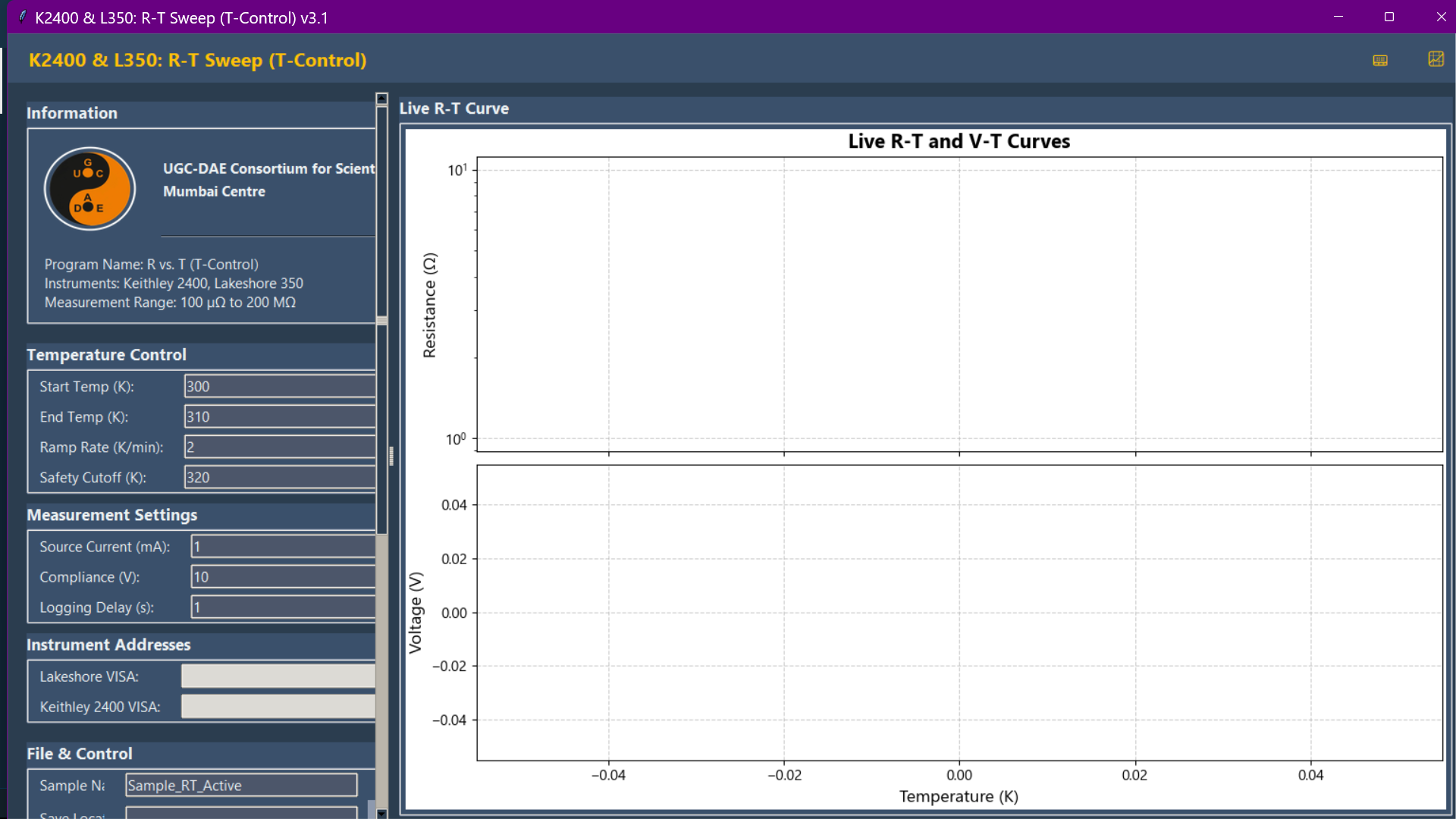
K2400 RT Control
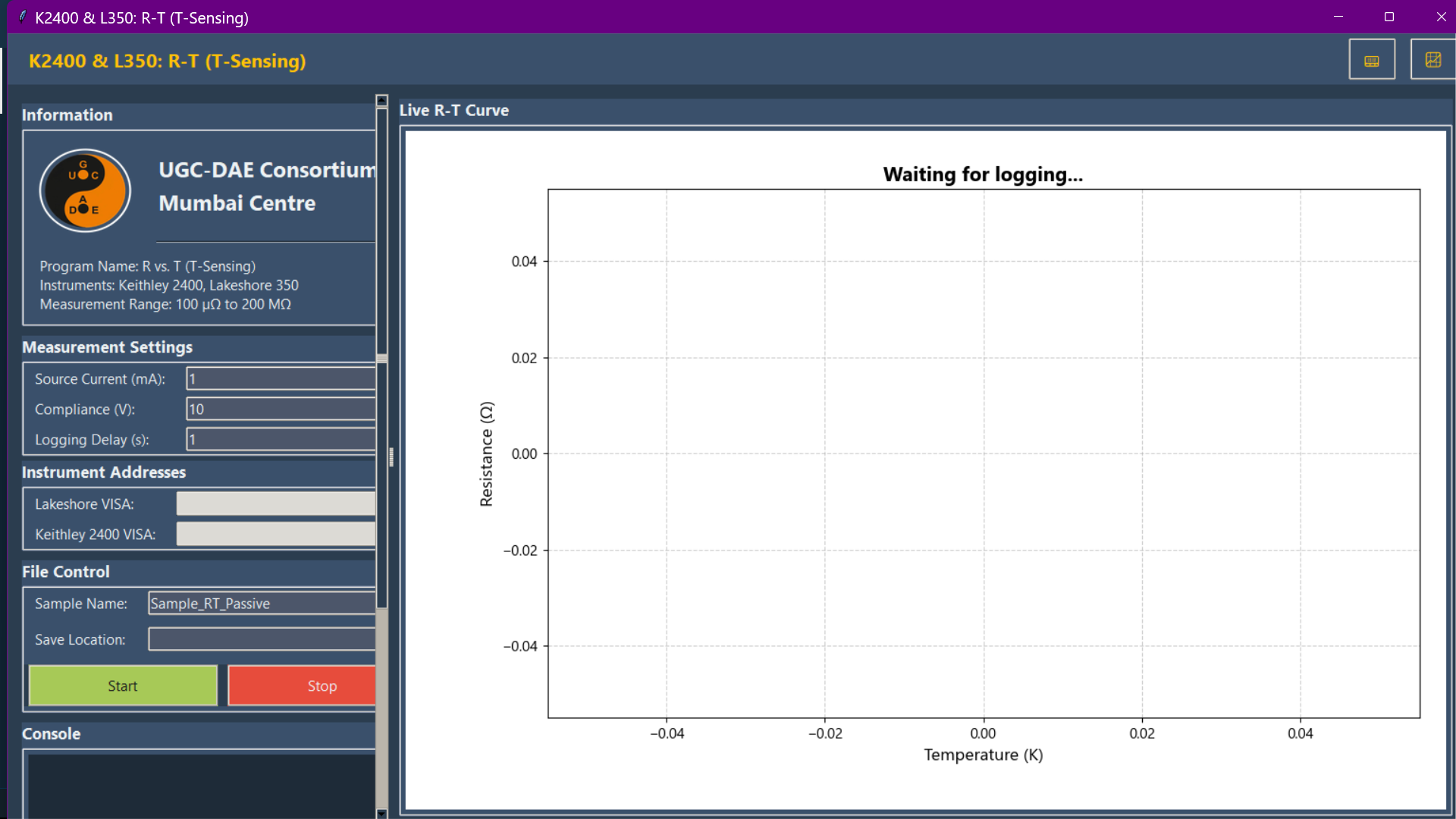
K2400 RT Sensing
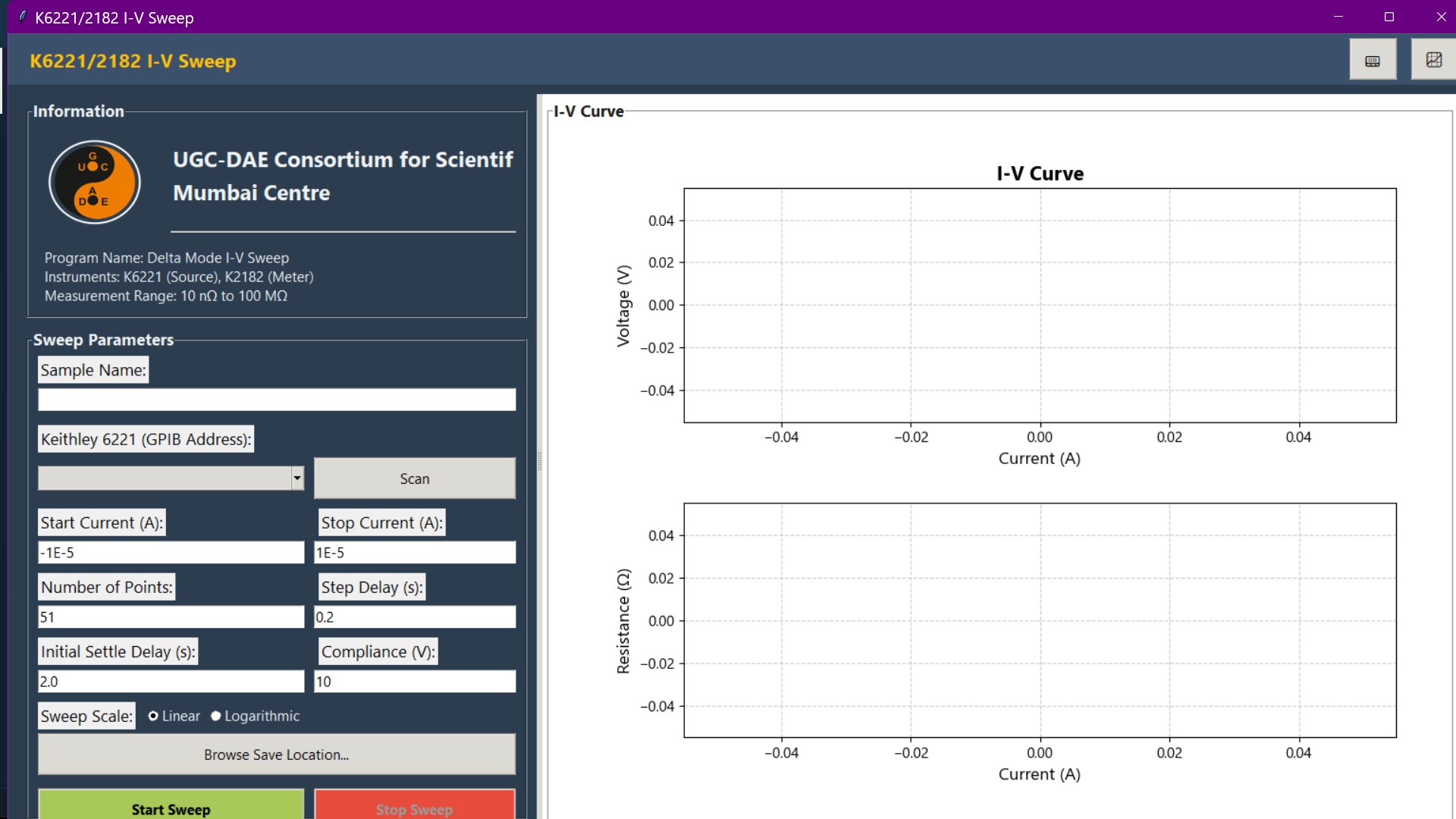
K6221 IV Sweep
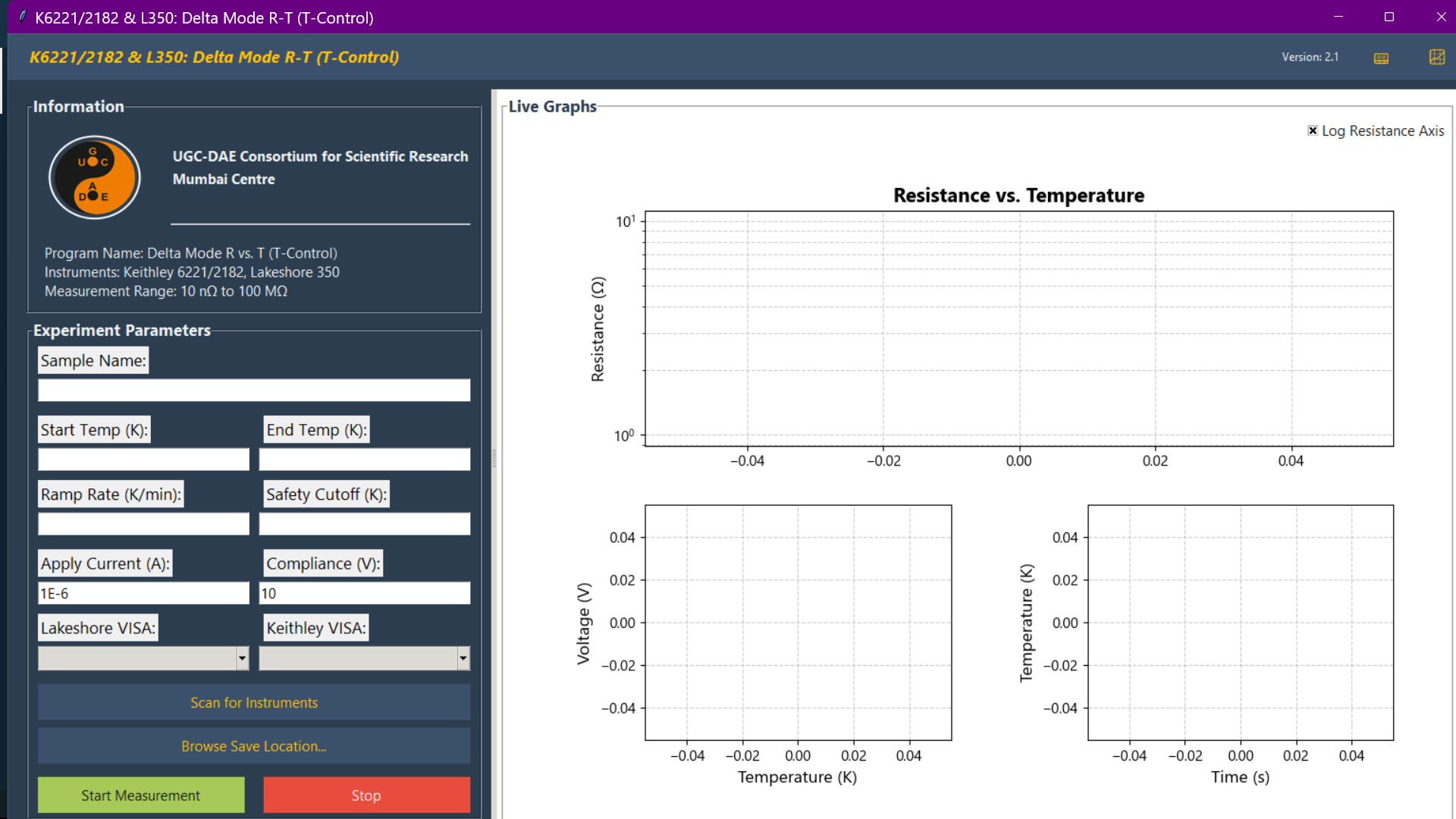
K6221 RT Control
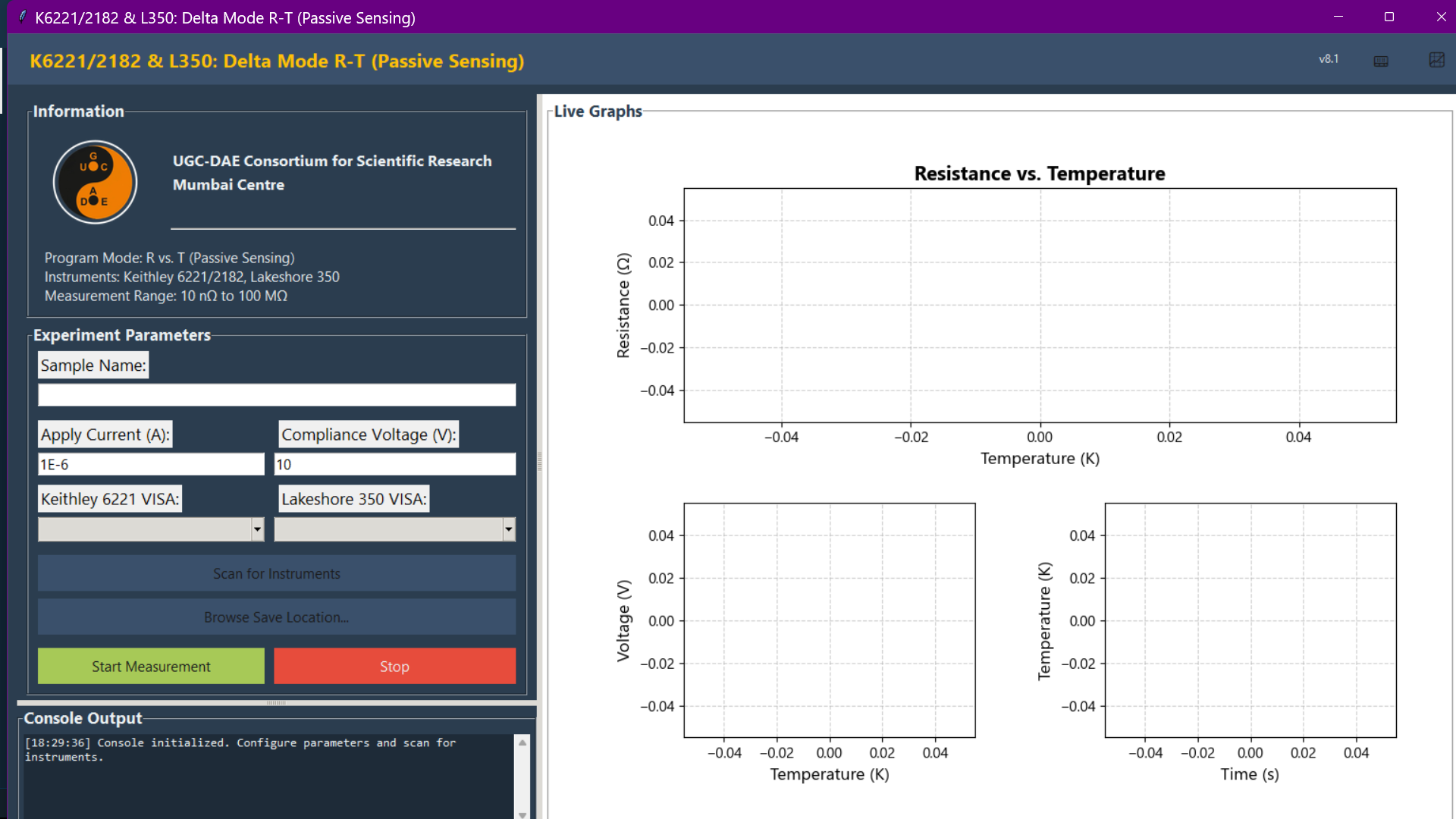
K6221 RT Sensing
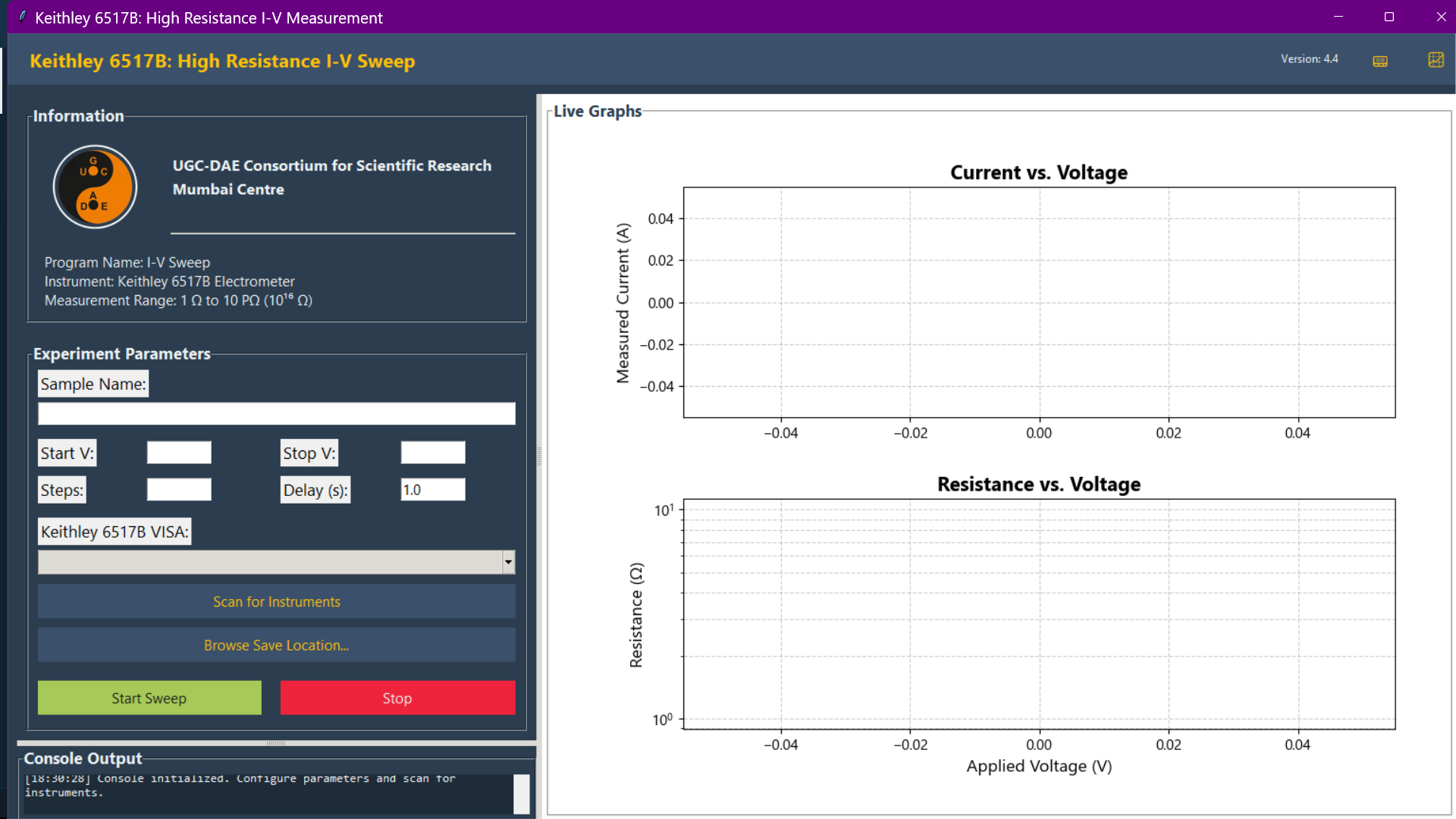
K6517B IV
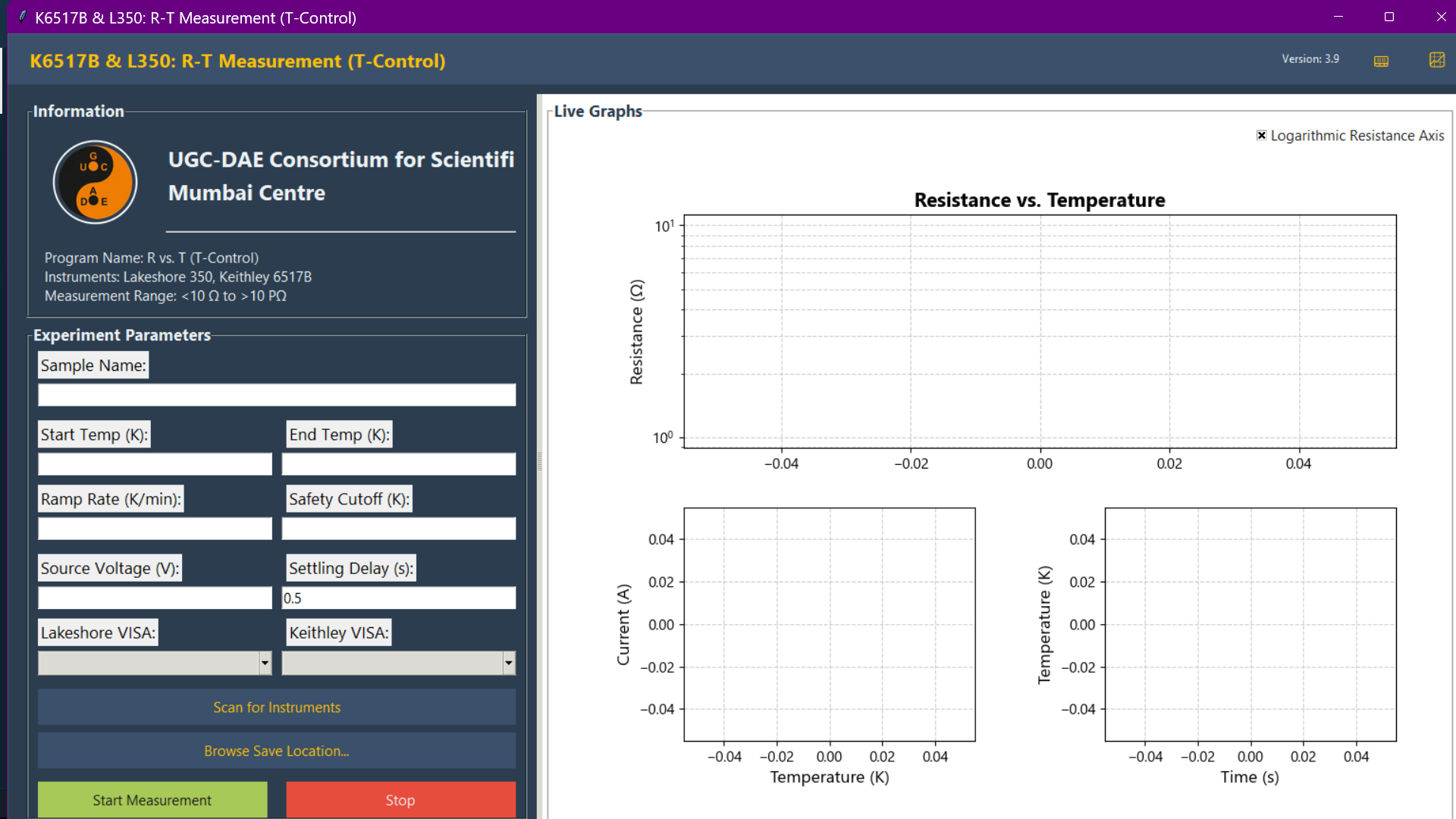
K6517B RT Control
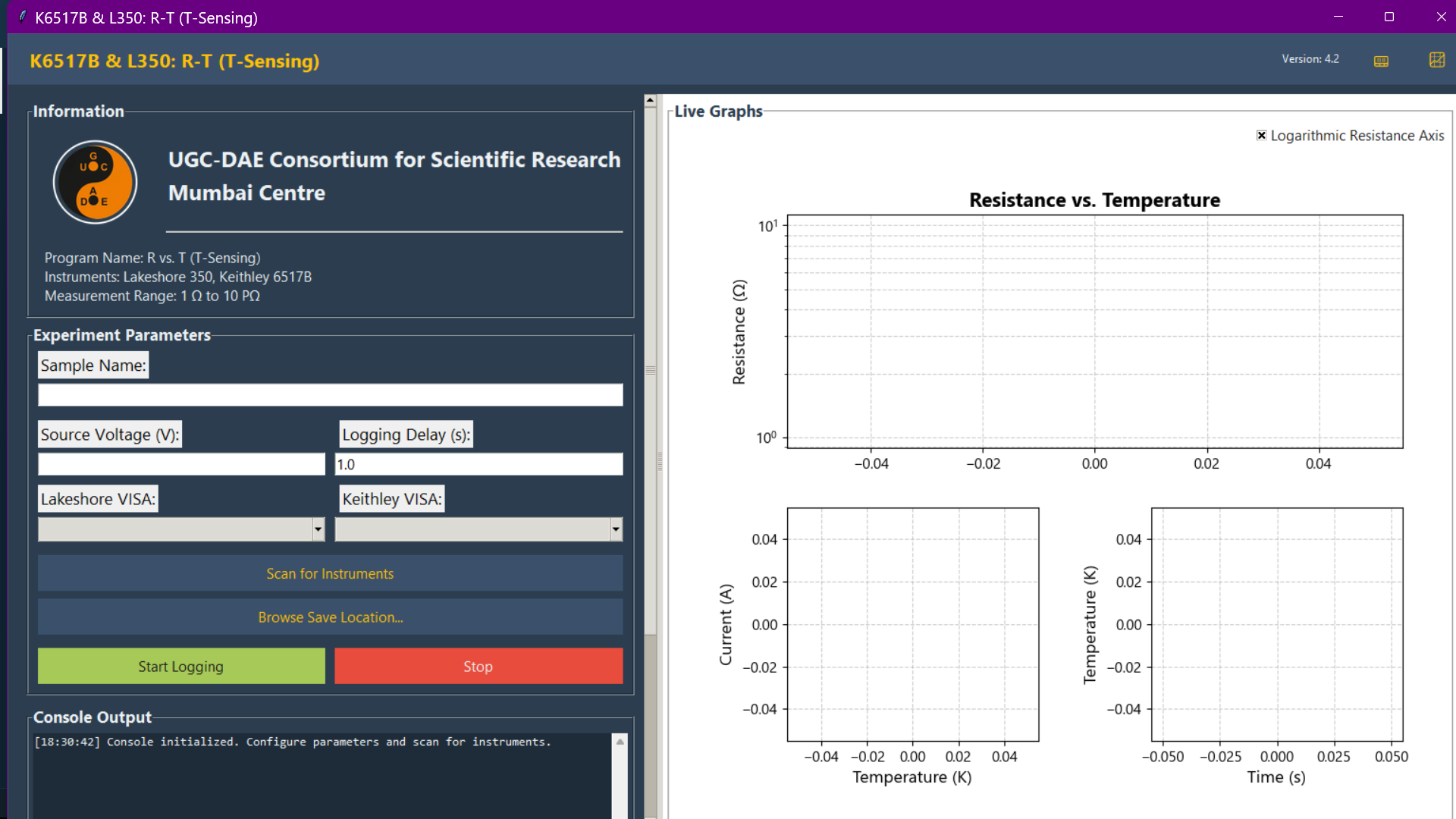
K6517B RT Sensing
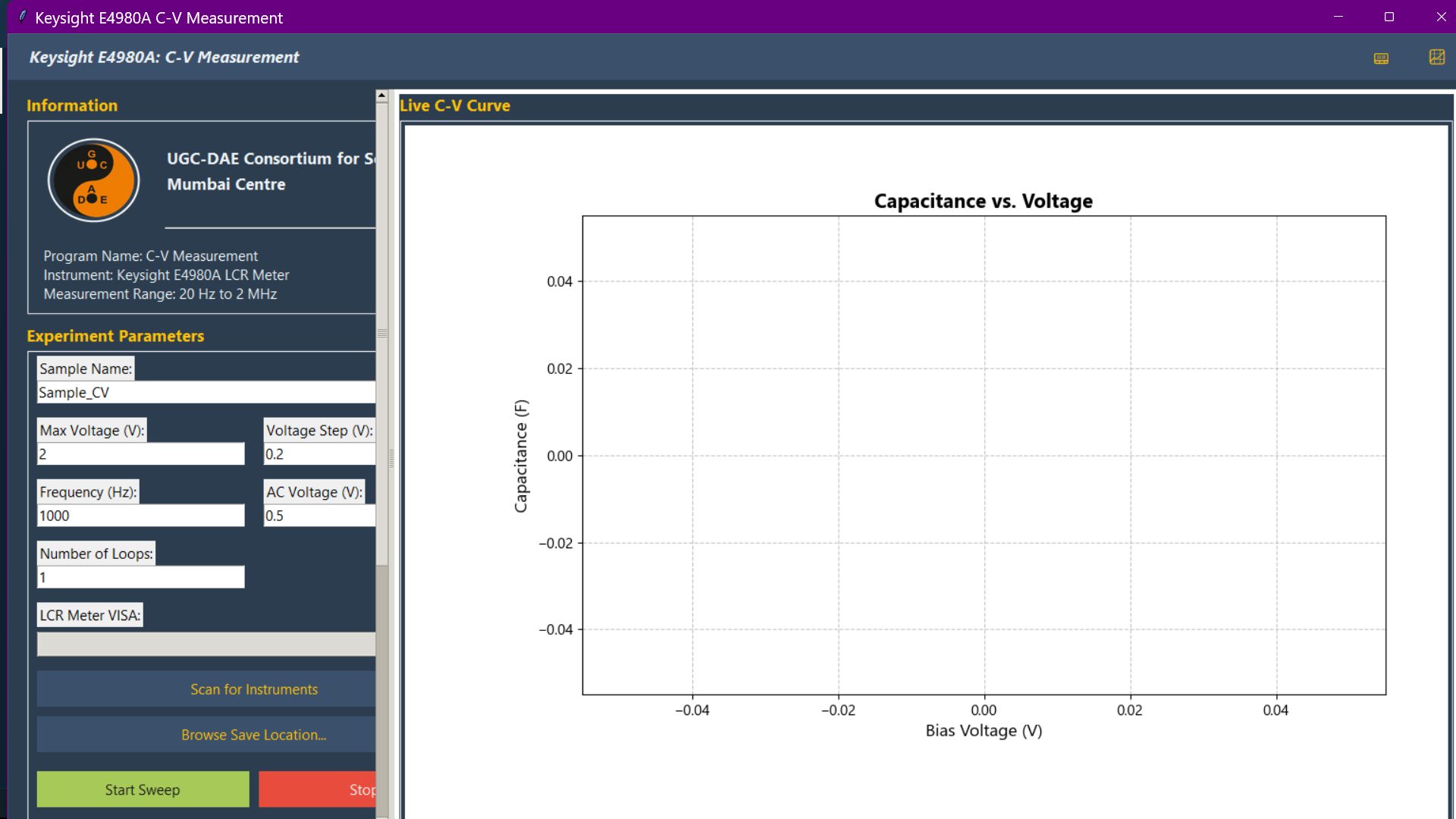
Keysight CV
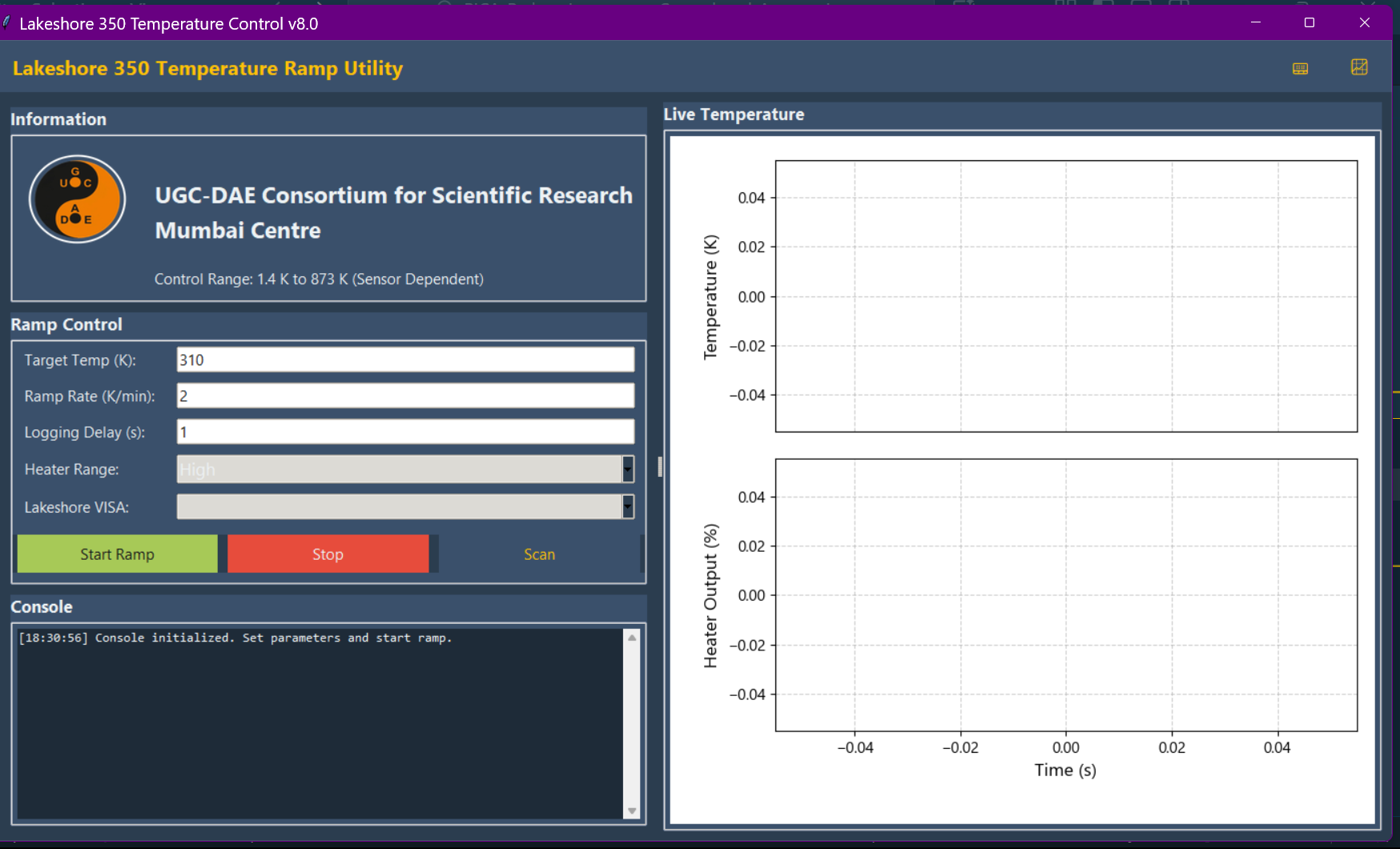
Lakeshore Temp Control
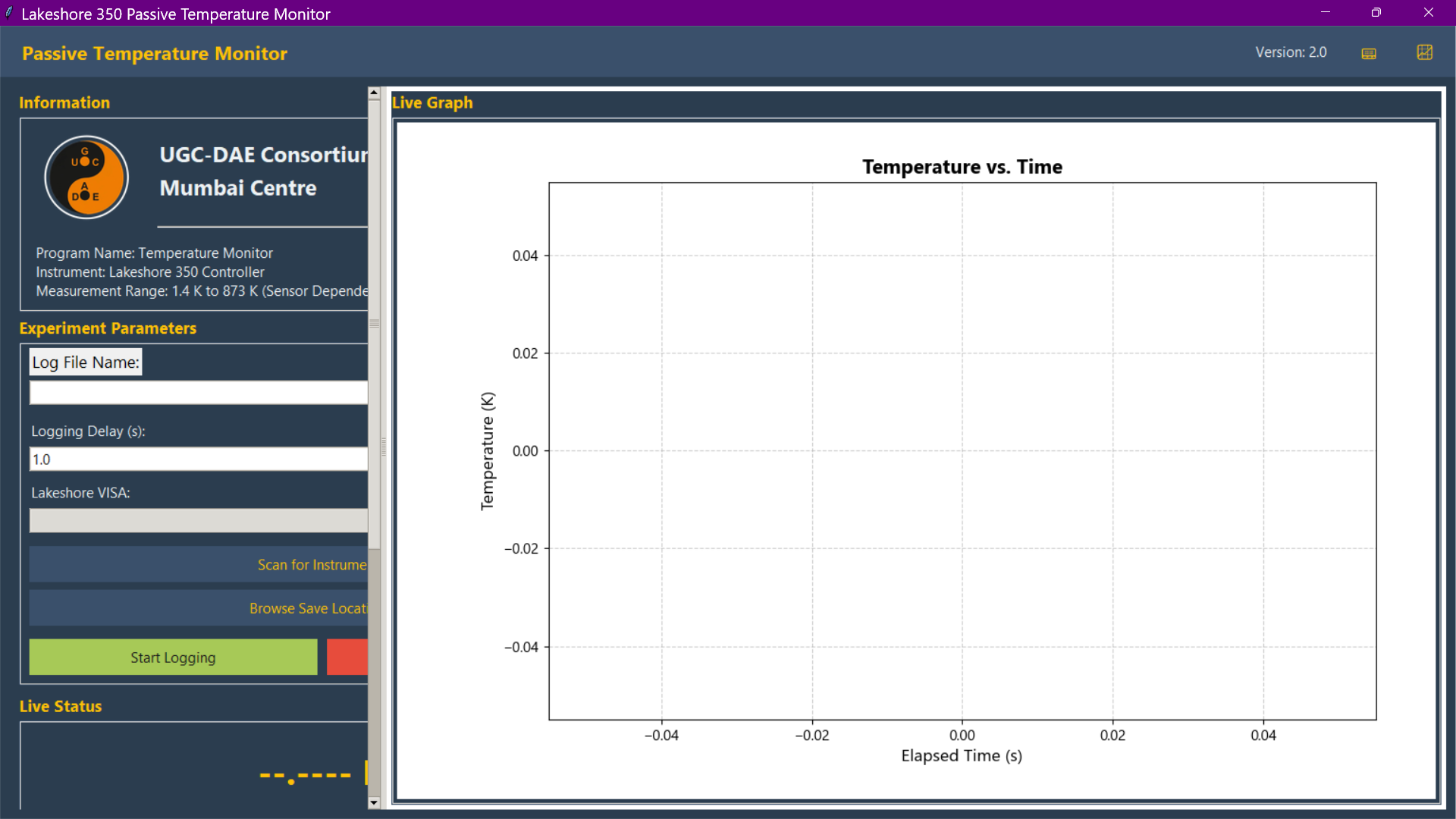
Lakeshore Temp Monitor
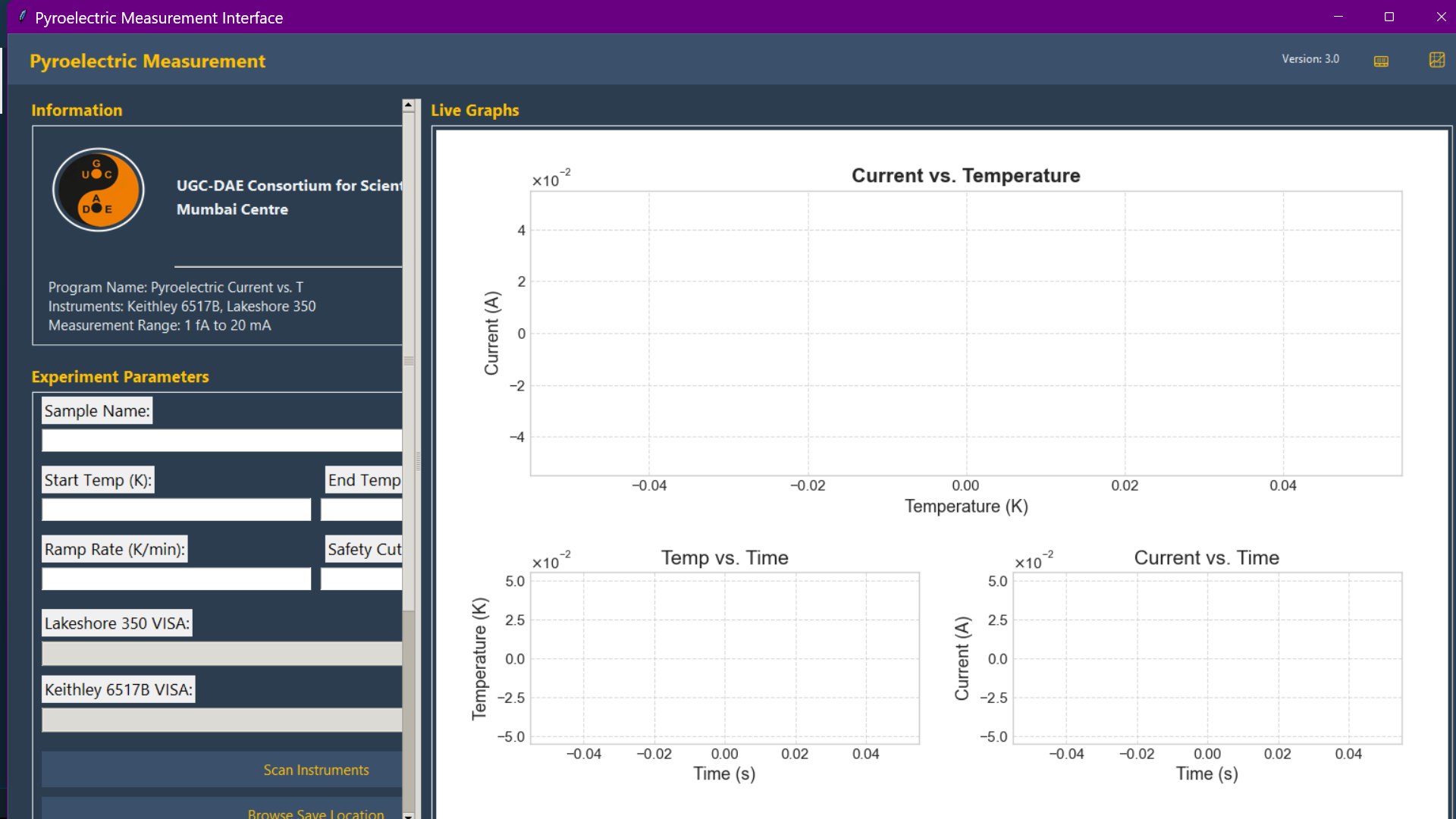
Pyroelectric Current
Understanding "Delta Mode"
"Delta Mode" refers specifically to a technique used by Keithley Models 6220 and 6221 in conjunction with the Model 2182/2182A Nanovoltmeter for ultra-low resistance measurements. It cancels thermal EMFs via an AC method. In PICA, "Ultra Low Resistance Measurements" is the general term used, while "Delta Mode" appears in specific Keithley-related modules.
Getting Started
Option 1: Install from PyPI (Recommended)
pip install pica-suite
Option 2: Install from Source
git clone https://github.com/prathameshnium/PICA-Python-Instrument-Control-and-Automation.git
cd PICA-Python-Instrument-Control-and-Automation
2. Create Virtual Environment & Install
# Create and activate a virtual environment
python -m venv venv
venv\Scripts\activate

# Install the package and its dependencies
pip install .
To update PICA to the latest version, run the following command in the project directory:
pip install --upgrade .If you are already in your virtual environment and want to force Python to reinstall the package (overwriting the old one), run this in your root project folder:
pip install --force-reinstall .Note: Ensure you have the NI-VISA drivers installed on your host machine to allow PyVISA to communicate with the hardware.
Running the Software
1. Graphical Launcher (Recommended)
The central dashboard for accessing all modules, the plotter, and the scanner.
pica-guiYou can also run any of the individual GUI measurement modules independently. This is useful for quickly accessing a specific measurement without opening the main launcher. To do this, simply run the Python script for the desired module.
For example:
python -m pica.keithley.k6517b.High_Resistance.IV_K6517B_GUI2. Launcher v2 (in testing)
Opens on a Quick Select screen (category, module and protocol, each explained in plain language) and keeps every module in an Advanced Options window (Ctrl+Shift+A). Ctrl+F searches every program by name, instrument or input field. The classic pica-gui launcher remains the canonical one.
python -m pica.main_v23. Command Line Interface (CLI)
For headless operation, without the GUI.
pica-cliImportant
Template Scripts: The instrument control modules (CLI's) provided are designed as template scripts. Users are expected to modify these scripts programmatically to adapt them to their specific experimental requirements and custom workflows. They are also excellent for developing custom measurement protocols, sequences, and for learning instrument automation. These scripts are typically named with an 'Instrument_Control' suffix to denote their programmatic nature. This approach ensures maximum flexibility and customization for advanced research applications.
Note
Legacy CLI Notice: The PICA CLI (pica-cli) is retained to support legacy headless workflows. While fully functional for specific protocols, this interface is less frequently maintained and may not support recent features available in the GUI.
We strongly recommend new users utilize the PICA GUI for the most complete and supported experience.
System Requirements & Compatibility
- Windows 10 / 11 (x86_64): fully supported, and used daily in the lab with real instruments.
- Linux: installation, tests and GUIs verified; measurements against real instruments not yet verified.
- macOS: not tested.
Note
The 32-bit Novocontrol Alpha-AN frequency scan and the 32-bit GPIB scanner call the Windows gpib-32.dll directly, so they run on Windows only.
A VISA Backend is Required
PyVISA is a wrapper, not a driver. You must install a backend:
- NI-VISA: The industry standard from National Instruments.
- PyVISA-py: A pure Python backend (installed as a fallback).
Installing on Linux
Warning
Talking to real instruments from Linux has not been verified yet. Installation, the full test suite and the GUI windows are checked on Ubuntu in CI; lab use so far has been on Windows.
- System packages:
sudo apt install python3-venv python3-tk fonts-noto-color-emoji(Debian/Ubuntu). - Install PICA: create a venv, activate it with
source ~/pica-venv/bin/activate, thenpip install pica-suite. - VISA backend: the pure-Python
pyvisa-pyis installed for you. USB-TMC needspyusband a udev rule; GPIB cards need the linux-gpib driver andpip install "pica-suite[gpib]". - Run:
pica-gui. For overnight runs, block sleep withsystemd-inhibit.
Full details are in the Linux install guide.
Running Tests
The suite has 3,500+ tests, all run against mocked VISA instruments, so no hardware is needed. To run it locally, first install the development dependencies:
pip install -r requirements-dev.txtThen, you can run the tests:
python -B -m pytest -p no:cacheproviderHow to Check Coverage Locally
To see the coverage percentage on your local machine, run this command instead:
python -B -m pytest --cov=pica --cov-report=term-missing -p no:cacheproviderProject History
PICA evolved from simple offline scripts in 2022 to a full-stack automated suite. Release builds are on the releases page.
- v1.0.8 (Latest): Novocontrol Alpha-AN modules (experimental, not yet run on hardware), wheel reduced from 9.9 MB to 3.3 MB, faster launcher, read-only Connected Devices and Drivers diagnostic, and CI on Python 3.10-3.15. Available on PyPI.
- v1.0.7: Linux install guide, Keithley 2400 memristor modules, C-V module v2, K6221/2182 custom-list I-V, launcher module search and hover cards. Available on PyPI.
- v1.0.6: Advanced Lakeshore step control, Cryo-con 34 and Lakeshore 340 support, AC resistivity (SR830 / 197A), PPMS dielectric protocol, Novocontrol Alpha-AN (experimental), launcher v2 and diagnostic tools.
- v1.0.5: E4980A frequency and temperature scans, Lakeshore 350 direct and step control, K6517B poling and new utilities.
- v1.0.4: Documentation release: Read the Docs integration and automated preprint PDF build.
- v1.0.3: GUI refreshed with the Latte theme. First release published to PyPI.
- v1.0.0 (Initial Public Release): Version numbering has been reset from legacy development builds (v17.0) to v1.0.0 to standardize the package for public distribution and citation.
- v17.0: Professional directory restructuring, Semantic Versioning, and documentation overhaul.
- v15.0: JOSS submission preparation, CI/CD integration.
- v13.0: Transition to Multiprocessing and standardized GUI themes.
2022 - 2023: Inception & Prototyping
- 2023 (Migration): Moved from offline lab systems to GitHub; organized scripts into instrument modules (Keithley/Lake Shore).
- 2022 (Origins): Started in an air-gapped lab with
pyvisascripts replacing manual logging.- Concept: Proposed by Dr. Sudip Mukherjee to automate characterization workflows.
- Prototypes: Built alongside hardware upgrades and cryogenic probe work at UGC-DAE CSR.
Background:
For a detailed chronological log, see CHANGELOG.md.
Resources & Documentation
- Online Documentation: Full documentation site at prathameshnium.github.io/PICA-Python-Instrument-Control-and-Automation, also on Read the Docs.
- PyPI Package: Install directly via pypi.org/project/pica-suite.
- User Manual: Detailed physics and usage guides are available in the Official User Manual.
- Source Files: Access the documentation source via the GitHub Markdown file.
- Instrument Manuals: A list of instrument manuals is available in docs/Instruments_Manuals_Lists.md.
- Research Impact: Publications that used PICA are listed in docs/Research_Impact.md.
- GitLab Backup: Mirrored weekly to GitLab.
Authors & Acknowledgments
This project is led by Prathamesh K. Deshmukh under the supervision of Dr. Sudip Mukherjee at the UGC-DAE Consortium for Scientific Research, Mumbai Centre.
We acknowledge the financial support provided under the SERB-CRG project grant No. CRG/2022/005676 from the Anusandhan National Research Foundation (ANRF), a statutory body of the Department of Science and Technology (DST), Government of India.

License
This project is licensed under the MIT License - see the LICENSE file for details.
How to Cite This Software
If you use this software in your research, please cite it:
Scientific Manuscript: The associated research paper pre-print is available on OSF Project, Academia.edu, or via our GitHub repository (PDF).
For more information, visit the Zenodo Archive.
@software{Deshmukh_PICA_2026,
  author       = {Deshmukh, Prathamesh Keshao and Mukherjee, Sudip},
  title        = {{PICA: Advanced High-Precision Transport Measurement Automation with Python}},
  month        = oct,
  day          = 27,
  year         = 2026,
  publisher    = {Zenodo},
  version      = {1.0.8},
  doi          = {10.5281/zenodo.18377216},
  url          = {https://doi.org/10.5281/zenodo.18377216}
}